Why This Matters
- No visibility during an incident. Clients are left guessing whether an issue is known and being worked on.
- No incident history. There is no record to review after the fact.
- Delayed communication. Status updates lag behind the actual state of an issue.
What Is Included
- Service coverage. Confirm the services and support hours in your agreement.
- Incident communication. Define ownership, severity, and update expectations.
- Maintenance. Agree notice, approvals, and operational impact.
- Incident review. Record relevant evidence and follow-up actions within the contracted process.
- Alert arrangements. Confirm any supported notification channels with the engagement team.
Practical Guidance
Request Current Status
Use the escalation path in your support agreement or your assigned Client portal. Portal access alone does not imply a live status dataset. The Contact form is for general requests, not emergency incident response.
Read A Status Report
Confirm the affected service, reporting time, observed impact, source of evidence, incident owner, and next planned update. An absent report does not mean that every service is operating normally.
Alerts & History
No live status feed, incident archive, or alert signup is connected to this page. Newsletter subscription is separate from operational alerts. Any client-specific reporting or notification service must be agreed and verified.
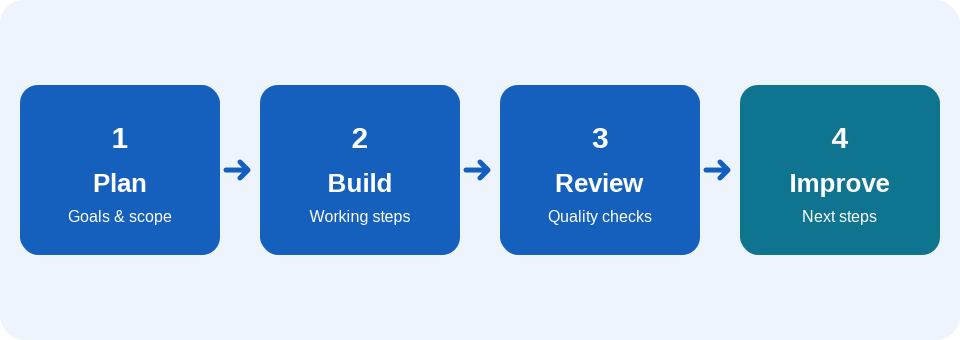
Reference Process
- Observe & Validate
- Assess Impact
- Communicate Status
- Resolve & Review
Observe & Validate → Assess Impact → Communicate Status → Resolve & Review.
This sequence is a reference for discussion. Responsibilities, access, timing, and delivery commitments depend on the relevant agreement or approved publication.
Getting Started
Confirm support coverage, contact roles, escalation channels, and reporting expectations before an incident. During an issue, use the contracted channel and provide the affected service and symptoms without sending passwords or confidential records.
Industry Considerations
| Industry | How this applies |
|---|---|
| Retail | Status visibility during peak trading periods |
| Financial services | Status transparency supporting operational resilience expectations |
| Manufacturing | Status visibility for production critical systems |
| Technology | Status transparency for customer facing platforms |
Sector examples identify context to assess, not verified customer engagements or a compliance conclusion.
Illustrative Value Measures
| Measure | Illustrative target | How we track it |
|---|---|---|
| Status inquiry calls during an incident | Reduced through self-service visibility | Support contact volume during incidents |
| Time to communicate an incident | Fast, tied to monitoring detection | Time from detection to status update |
Illustration only. These measures are not verified results, guaranteed returns, or evidence that tracking is currently implemented. Agree appropriate evidence, permissions, and a baseline before measurement.
Dependencies & Safeguards
Confirm scope, ownership, permissions, and available evidence. Do not treat an informational page as confirmation of a live feed, formal credential, available program place, or completed request.
Frequently Asked Questions
Does this page show current uptime?
No. Obtain current status from the reporting channel defined for your engagement.
Can I subscribe to status alerts here?
No automatic operational alert signup is provided on this page. Discuss supported channels with your engagement team.
Where is incident history available?
Any incident records follow the client-specific support agreement and access permissions; this page is not an incident archive.
Next Step
For general support questions, use the Contact page. For an active incident, use your contracted escalation channel.
Related: Priority operations support | Managed services | Contact